
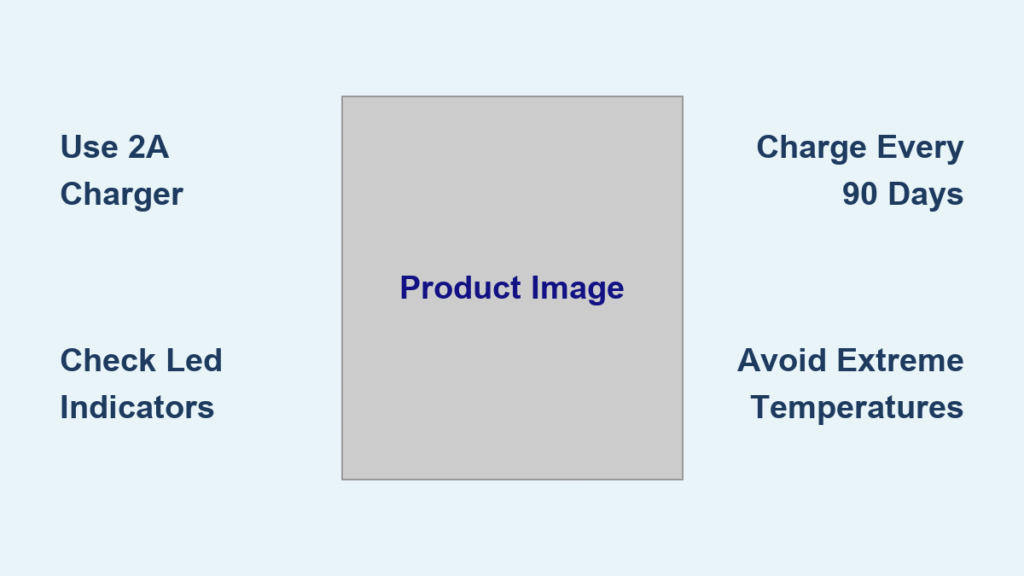
Your Duracell jump starter sits silently in the trunk for months, then fails when you need it most. Dead batteries don’t send warnings—they just leave you stranded at the worst possible moment. Whether you own the traditional 750 model or the newer SafeJump 1100A, knowing exactly how to charge your Duracell jump starter properly is the difference between a 30-second jump start and waiting hours for roadside assistance. This guide delivers precise charging procedures for both models, including critical timing details, indicator light interpretations, and the non-negotiable 90-day maintenance rule every owner must follow. You’ll never face a dead jump starter again when you master these essential charging protocols.
Charge Duracell 750 Jump Starter Correctly
Locate Charging Port and Adapter Immediately
The Duracell 750 jump starter features a standard DC input port on its housing—no hidden compartments or complicated access. Grab the included AC wall adapter and connect it directly to this port, then plug into any standard household outlet. Crucial detail: New units require a full 100% charge before first use to activate battery chemistry properly. Skipping this initial charge permanently damages capacity. Unlike newer models, the 750 uses lead-acid technology requiring specific charging discipline—never substitute third-party adapters as voltage mismatches cause irreparable harm.
Track Charging Progress with LED Indicators
Watch the LED status lights on the control panel for real-time feedback during your duracell jump starter how to charge process. A solid light confirms active charging, while intermittent behavior indicates connection issues. Full recharge takes 12-24 hours from complete depletion—never unplug early despite indicator changes. The 750 lacks percentage displays, so rely on these timing benchmarks: after 6 hours, you’ll have enough for one emergency jump; after 18 hours, you reach maximum capacity. Critical mistake to avoid: Storing without charging every 90 days. Lead-acid batteries self-discharge 5-10% monthly—even unused units become useless paperweights within six months.
Confirm Full Charge Before Storage
When the LED indicators turn off or switch to solid green, your 750 reaches full capacity. Unlike lithium models, store the 750 fully charged to prevent sulfation damage. Before stowing it in your vehicle, verify no lights flash—partial charges accelerate battery degradation. Pro tip: Perform this check in daylight since dim LEDs become invisible in trunk darkness. Always unplug the adapter after charging completes; continuous trickle charging overheats lead-acid cells. If lights behave erratically during charging, immediately disconnect and inspect for port debris—a toothpick gently cleared obstruction restores function 90% of the time.
SafeJump 1100A USB-C Charging Protocol
Connect to Proper 2A Power Source Only
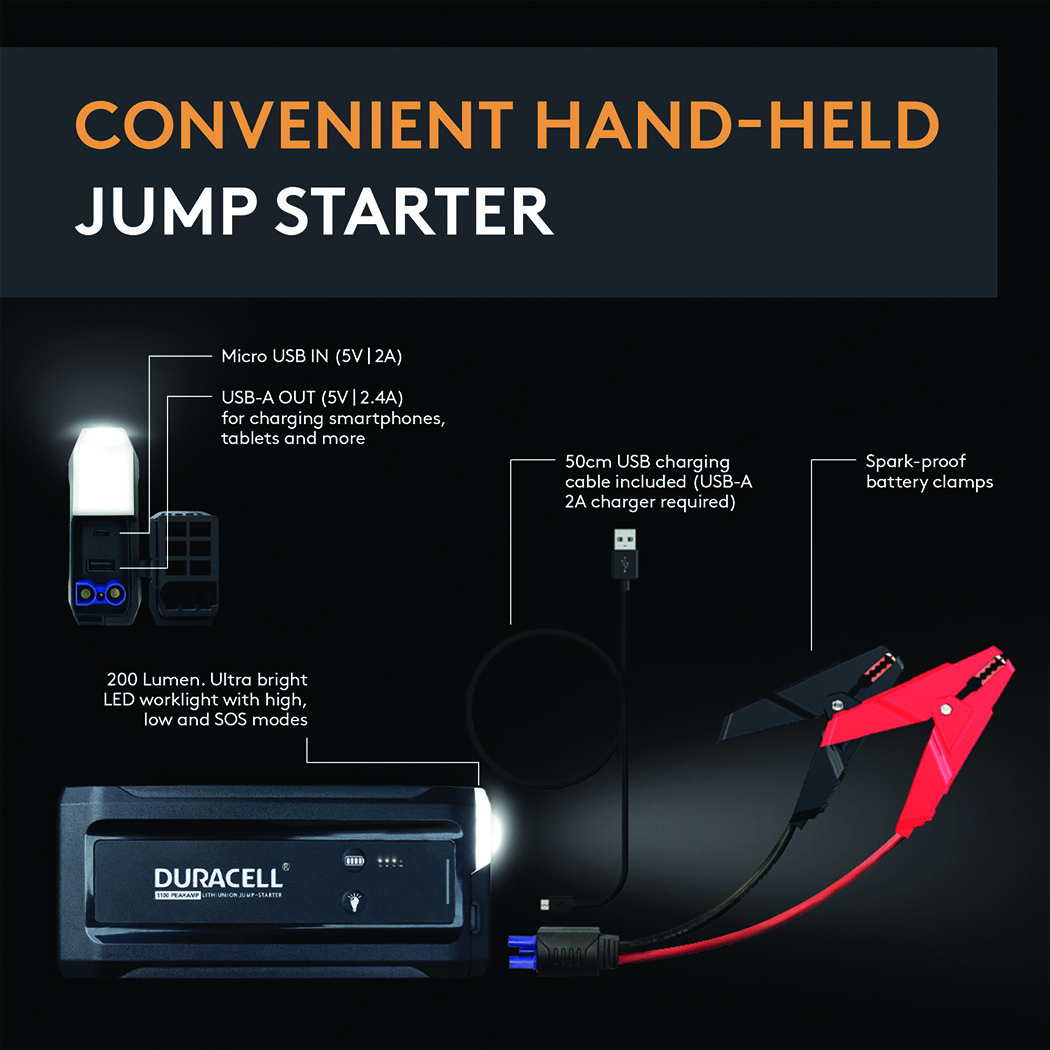
The SafeJump 1100A (model DRLJS1100B) charges exclusively through its integrated USB-C port—never use standard 1A phone chargers as they deliver insufficient current. Grab any 5V/2A power source: a wall adapter, car charger, or power bank meeting this specification. Insert the USB-C cable firmly until it clicks into place; loose connections cause false “full” readings that strand you later. Urgent note: Charging fails completely below 32°F (0°C)—if stranded in winter, warm the unit in your cabin for 20 minutes before attempting to charge.
Interpret Four-LED Battery Display Accurately

Each LED on the SafeJump 1100A represents 25% battery capacity through a precise flashing sequence:
– Bottom LED flashing: 0-25% (critical emergency level)
– Second LED flashing: 25-50% (one medium jump possible)
– Third LED flashing: 50-75% (two standard jumps available)
– Top LED flashing: 75-100% (full operational capacity)
When all four LEDs glow solid, charging completes in just 3-4 hours—dramatically faster than the 750 model. Pro shortcut: A 30-minute charge delivers 25% capacity for immediate jump starts during emergencies. Never ignore rapid flashing of all LEDs—it signals critical charging system faults requiring professional service.
Enforce the 90-Day Storage Rule Religiously
Prevent Self-Discharge Catastrophes
All Duracell jump starters lose charge during storage—lithium-ion models like the SafeJump 1100A lose 2-3% monthly, while the 750’s lead-acid battery drains 5-10%. This silent discharge turns reliable devices into useless bricks within months. Hard truth: 90% of jump starter failures occur because owners skip quarterly charging. Set permanent phone calendar reminders—label them “CHARGE JUMP STARTER NOW” with loud alerts. Skipping even one 90-day window causes permanent capacity loss that no amount of charging can reverse.
Store at Model-Specific Charge Levels
Store the SafeJump 1100A at 40-60% charge—the sweet spot for lithium-ion longevity. For the 750, maintain 100% charge to prevent lead-acid sulfation. Critical distinction: Check charge levels monthly during extended storage; lithium models drop faster in sub-50°F temperatures. Always recharge immediately after any jump start operation—using 30% capacity requires topping off within 48 hours. Never store units in trunks above 113°F (45°C); summer dashboard temperatures permanently damage batteries.
Optimize Charging Environment for Safety

Control Temperature and Ventilation Strictly
Charge between 32°F and 104°F (0°C to 40°C)—cold environments slow charging by 50%, while heat above 104°F triggers automatic shutdown. Place units on non-conductive surfaces like wood or rubber mats away from metal objects that cause short circuits. Non-negotiable rule: Never charge under blankets or in enclosed spaces. Both models have over-temperature protection, but blocked ventilation causes repeated shutdowns that frustrate users into dangerous workarounds.
Verify Secure Connections Before Starting
Before plugging in, inspect ports for lint or corrosion—a cotton swab with isopropyl alcohol cleans safely. For USB-C ports, ensure the cable clicks audibly into place; wobble during charging causes intermittent failures. Test connections by gently tugging—if the cable detaches easily, replace it immediately. Warning: Damaged cables with exposed wires create fire hazards—discard frayed chargers without hesitation.
Use Power Bank Functions During Charging
Charge Devices Without Interrupting Process
The SafeJump 1100A powers phones and tablets through its USB-A ports while recharging itself—perfect for dead phone emergencies. However, expect 25% longer total charge time when simultaneously powering external devices. Internal battery charging always takes priority, so avoid connecting high-draw devices like tablets during initial charging phases. The 100-lumen LED work light operates during charging too, with three modes: steady beam for under-hood work, strobe for roadside alerts, and SOS for true emergencies.
Maintain Weather Protection During Charging
The IP65 weather resistance remains fully active during charging when port covers seal properly. Absolute prohibition: Never expose charging ports to rain, snow, or standing water—even brief contact causes immediate failure. After charging in humid conditions, wipe ports dry with a microfiber cloth before stowing. If moisture enters the port, disconnect immediately and let the unit air-dry for 48 hours before reuse.
Fix Common Charging Failures Immediately
Diagnose No-Response Situations
When LEDs stay dark with charger connected:
1. Test the outlet with another device—faulty circuits cause 60% of “dead unit” reports
2. Swap USB-C cables or AC adapters—try your laptop charger for SafeJump models
3. Clean ports with compressed air—canned air removes debris without scratching
4. Move to room temperature—below 32°F units appear dead but revive when warmed
Critical insight: Rapid flashing of all LEDs indicates internal faults—discontinue use immediately and contact Duracell support. Never attempt self-repair on lithium-ion units.
Resolve Slow Charging Effectively
For SafeJump 1100A units taking over 5 hours to charge:
– Confirm you’re using a 2A adapter (standard phone chargers are 1A)
– Replace bent USB-C cables—one misaligned pin halves charging speed
– Clean port contacts with a dry toothpick—debris creates resistance
– Avoid charging while using high-power features like the work light
The 750 model requires patience—12-24 hours is normal. If charging exceeds 30 hours, battery replacement is needed.
Recognize Battery End-of-Life Signals
Identify Irreversible Degradation
Replace your Duracell jump starter when:
– Full charges now deliver only 1-2 jump attempts (down from 5-10)
– Charging time doubled from original specifications
– LED indicators show full charge but fail to start engines
– Unit becomes hot during normal charging cycles
Key fact: The SafeJump 1100A lasts 3-5 years or 1,000 charge cycles; the 750 manages 500-800 cycles. Lithium models degrade faster in extreme temperatures—store between 14°F and 113°F for maximum lifespan.
Emergency Protocol for “Dead” Units
If stranded with a depleted jump starter:
1. Connect charger immediately—even 10 minutes provides emergency power
2. Wait 15 minutes before attempting jump start (critical for voltage stabilization)
3. Check LED indicators—any solid light means usable capacity
4. Start charging while waiting for roadside assistance
Prevention is permanent: Recharge every 90 days without exception. A properly maintained Duracell jump starter provides years of roadside insurance—neglect turns it into expensive cargo. Charge it quarterly, verify indicators monthly, and you’ll never face the panic of a dead battery when your car won’t start. Your safety depends on this simple discipline.



