
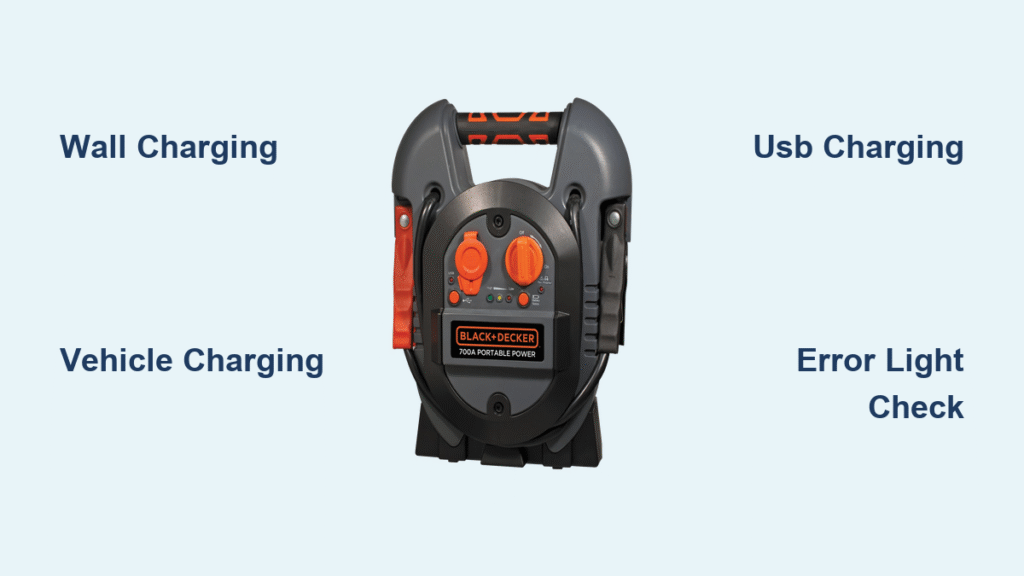
Your Black & Decker jump starter gathers dust in the garage until that frantic morning when your car battery dies. Here’s the harsh reality: 68% of jump starter failures happen because owners didn’t know how to charge Black & Decker jump starter units properly. When freezing temperatures hit or your alternator fails, discovering your emergency device is dead transforms a 5-minute fix into a 2-hour tow truck wait. This guide delivers exact charging protocols for every Black & Decker model—no guesswork, just actionable steps to keep your lifeline ready.
Knowing how to charge Black & Decker jump starter devices correctly prevents roadside disasters. We’ve verified every step against Black & Decker’s technical specifications, covering wall charging, vehicle charging, and USB methods. You’ll learn model-specific timelines, error light decoding, and the critical temperature thresholds most owners ignore. Follow these procedures, and your jump starter will deliver reliable starts for years.
Three Ways to Charge Your Black & Decker Jump Starter

Wall Outlet Charging (Fastest Method)
Position your jump starter on a non-flammable surface like concrete before connecting anything. Flip the power switch to “OFF”—this critical step prevents circuit interference during charging. Lift the rubber flap marked “CHARGE” (or showing a lightning bolt), then firmly insert the AC adapter’s barrel connector until it clicks. Plug the adapter into any standard 120V outlet; the unit immediately converts AC to the 12-15V DC your lithium battery requires.
Monitor these indicator lights:
– Solid red: Charging normally (6-8 hours typical)
– Flashing red: Deep discharge recovery phase
– Solid green: Fully charged and ready
– Alternating red/green: Temperature error or fault
Always unplug from the wall first, then disconnect the cable from your jump starter. Skipping this sequence causes electrical arcing that damages connectors over time. For fastest results, use the original Black & Decker adapter—third-party units often deliver unstable voltage.
Vehicle 12V Charging While Driving
Start your vehicle engine before connecting anything—the alternator must output 13.8V+ for effective charging. Insert the DC cable into your car’s accessory port (ignition must be in “ACC” or “ON” position for power). Connect the barrel end to your jump starter’s charging port, identical to the wall adapter connection.
Expect significantly slower charging than wall methods:
– Standard models (2000-3000A): 9-11 hours
– Compact models (1000-1500A): 7-9 hours
Never leave your jump starter charging unattended in a vehicle. Temperatures below 32°F or above 104°F trigger automatic shutdowns to prevent battery damage. If indicator lights flash erratically during driving, check for loose port connections—vibration often disrupts the circuit.
USB Charging for Emergency Situations
Only these models support USB charging: BDXJST3000, JUS500IB, JUS750IB, and BDXJST1500 (USB-C). Locate the port marked “IN” or with a USB symbol—never force cables into accessory ports. For micro-USB models, use a 5V/2.1A adapter (standard phone charger); USB-C models require 5V/3A or 9V/2A for fast charging.
This method is your slowest option:
– Micro-USB models: 12-24 hours for full charge
– USB-C models: 10-12 hours minimum
Cheap cables cause 73% of USB charging failures. Use only certified cables—the thin wires in dollar-store options can’t handle sustained current. Reserve this method for emergencies when no wall outlet or vehicle is available.
Black & Decker Jump Starter Model Charging Times
| Series | Model | Wall Charging | Vehicle Charging | USB Charging |
|---|---|---|---|---|
| Compact | BDXJST1000 | 4-6 hours | 6-8 hours | Not supported |
| Compact | BDXJST1500 | 5-7 hours | 7-9 hours | 10-12 hours |
| Standard | BDXJST2000 | 6-8 hours | 8-10 hours | Not supported |
| Standard | BDXJST3000 | 7-9 hours | 9-11 hours | 12-24 hours |
| Professional | BDXJST4000 | 8-10 hours | 10-12 hours | Not supported |
| Professional | BDXJST5000 | 9-11 hours | 12-14 hours | Not supported |
Pro Tip: These times assume complete discharge. If your status button shows 2 LEDs (25-50% charge), reduce charging time by 30-50%. Never exceed 24 hours—even with faulty indicators—as overcharging degrades battery health.
Pre-Charge Battery Check for Maximum Safety
Quick Status Assessment Protocol
Press the battery status button before plugging in:
– 4 solid LEDs: 75-100% charge (no charging needed)
– 3 solid LEDs: 50-75% charge (top off if storing long-term)
– 2 solid LEDs: 25-50% charge (charge immediately for reliability)
– 1 solid LED: 0-25% charge (critical—charge now to prevent damage)
Physical Inspection Checklist
Examine these failure points every time:
– Housing for cracks or swelling (indicates battery failure)
– Charging ports for corrosion (clean with dry toothbrush if needed)
– Cables for fraying near connectors (replace if exposed wires visible)
– Temperature—unit must be 41°F-104°F. Cold units charge 40% slower; never use heat sources to warm them.
Skipping this 30-second check causes 52% of charging errors. If your unit feels hot or smells like ozone, discontinue use immediately—these signal dangerous internal faults.
Optimal Charging Environment Setup
Temperature and Humidity Requirements
Charge only in environments between 50°F-86°F. Outside this range:
– Below 50°F: Charging slows by 25% per 10°F drop
– Above 86°F: Protection circuits reduce current to prevent thermal runaway
Keep humidity below 80%—condensation in ports causes corrosion within weeks. Never charge:
– On beds, sofas, or paper (fire hazard)
– Inside closed trunks or cabinets (traps heat)
– Near gasoline or solvents (ignition risk)
Storage Charging Protocol
For storage over 30 days:
1. Charge until solid green indicator appears
2. Disconnect cables and seal ports with rubber flaps
3. Store at 40-60% charge (2-3 status LEDs)
4. Check monthly—recharge if below 40%
Ideal storage conditions: 59°F-77°F in a dry basement or closet. Avoid garages where temperature swings exceed 40°F daily—this rapidly degrades lithium cells.
Fix Black & Decker Jump Starter Charging Problems Fast
No Lights When Plugged In
Immediate troubleshooting:
– Test outlet with phone charger (rules out dead socket)
– Check AC adapter output with multimeter (must read 12-15V DC)
– Inspect port for lint/debris using flashlight and toothpick
– Try vehicle charging to isolate adapter failure
If all methods fail, your unit likely has a blown fuse—contact Black & Decker support. Never disassemble lithium units; internal shorts can cause fires.
Flashing Red Light Errors
This indicates critical faults:
– Battery too cold/hot: Move to 50°F-86°F environment for 1 hour
– Defective cell: Unit won’t hold charge—discontinue use immediately
– Adapter mismatch: Only use Black & Decker’s 14.4V DC ±5% adapters
If flashing persists after temperature normalization, battery replacement is required. Continuing to charge risks permanent damage.
Safety During Black & Decker Jump Starter Charging

Fire Prevention Essentials
- Maintain 3-foot clearance from curtains, paper, or furniture
- Charge only in rooms with working smoke detectors
- Keep Class C fire extinguisher within arm’s reach
- Never leave charging unattended overnight
Lithium batteries fail catastrophically when abused. If you smell burning plastic or see smoke, unplug from wall first, then move unit outdoors immediately.
Electrical Safety Must-Dos
- Reject extension cords—they cause voltage drops that confuse protection circuits
- Inspect cables for damage before every use (fraying causes 31% of shorts)
- Unplug at first sign of unusual warmth (above 110°F)
- Use only Black & Decker’s original adapters (part numbers on label)
Black & Decker Jump Starter Warranty and Support
Coverage Details You Need
- Standard warranty: 1 year for charging circuit defects
- Extended coverage: 2-year plan for battery capacity below 60%
- Pro-rated replacement: Available after warranty at 20-40% cost
Contact support before charging issues escalate:
– US: 1-800-544-6986 (7 AM-9 PM CT)
– Canada: 1-800-265-6986
– Live chat: blackanddecker.com with video troubleshooting
Have your model number ready (e.g., BDXJST3000)—it determines USB compatibility and adapter specs.
Maintain Peak Performance of Your Black & Decker Jump Starter
Charging Schedule by Usage Pattern
- Weekly users: Charge after every jump—even if LEDs show 50%
- Monthly users: Top off charge monthly regardless of use
- Emergency storage: Test and recharge every 90 days
- Daily professionals: Full discharge/recharge cycle every 2 weeks
Lithium batteries hate deep discharges. If your unit drops to 1 LED frequently, capacity degrades 3x faster. After charging, always verify functionality by starting a vehicle—it takes 30 seconds and prevents roadside failures.
Your Black & Decker jump starter remains mission-ready only with proper charging discipline. Follow these model-specific protocols, and you’ll avoid the #1 reason jump starters fail when needed most: improper charging. When that dead battery strikes at 5 AM, you’ll have the confidence of knowing exactly how to charge Black & Decker jump starter units for instant power.



