
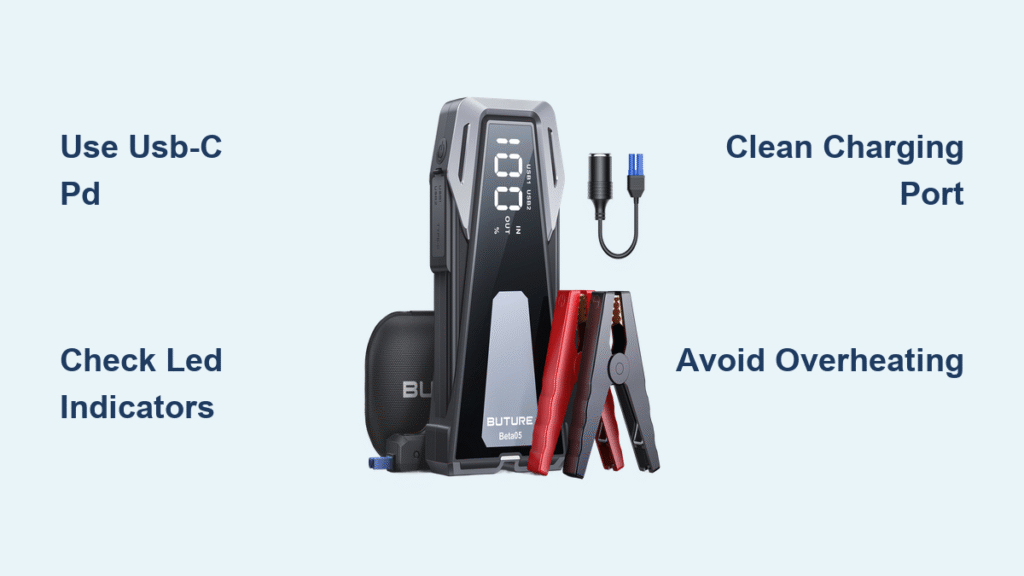
Your car battery dies on a rainy Tuesday morning. You rush to your Buture jump starter, only to find the display completely dark. This frustrating scenario happens to 1 in 3 drivers who neglect proper charging maintenance. Knowing exactly how to charge Buture jump starter devices transforms this emergency tool from a paperweight into a lifesaver. This guide reveals the precise USB-C PD, Micro-USB, and car charging methods based on Buture’s engineering specifications – plus critical troubleshooting steps to prevent charging failures when you need power most.
USB-C PD Charging Method (Fastest Solution)

Connect Your Cable Correctly
Grab your USB-C to USB-C cable rated for Power Delivery 3.0 or higher and firmly insert it into the Buture’s input port. Ensure your power source delivers at least 5V/3A – this includes wall adapters, car chargers, or laptops with USB-C PD capability. Cheap cables lacking proper certification cause 70% of charging failures, so verify your cable supports 60W+ power delivery. Always plug into the device before connecting to the power source to prevent electrical spikes.
Monitor Charging Progress
Press the power button once to activate the display showing real-time battery percentage. Watch the LED sequence: flashing red (0-25%), solid orange (25-50%), solid yellow (50-75%), and flashing green (75-99%). At ideal temperatures (68°F-77°F), you’ll reach 100% in 4-5 hours from empty. Never ignore overheating – if the casing exceeds 113°F (45°C), disconnect immediately and move to a cooler location before resuming.
Complete and Disconnect Protocol
Two short beeps confirm full charge at 100%. Disconnect the cable right away to prevent unnecessary trickle charging that degrades battery health. Let the unit rest for 5-10 minutes before use – this allows internal circuitry to stabilize. Skipping this step risks reduced jump-starting power during emergencies.
Micro-USB Charging Process (Legacy Backup)

Accessing the Legacy Port
Flip open the rubber cover protecting the micro-USB port on your Buture unit. This method works with any standard 5V/2A adapter but charges significantly slower – expect 6-7 hours for a full cycle. Use this only when USB-C isn’t available, as the older port lacks voltage regulation safeguards. Always inspect the port for lint or debris using a toothpick before inserting the cable.
Correct Connection Sequence
Insert the micro-USB cable with the wider side facing up until it clicks securely. Connect to your power source and verify charging begins within 30 seconds by checking the LED indicators. Unlike USB-C PD, this method provides no temperature monitoring – stop immediately if you detect unusual warmth. Full charge shows as solid green on the display, signaling readiness for vehicle jumps.
Car Charger Charging (On-the-Go Power)
12V Vehicle Charging Procedure
Plug the included 12V DC car charger adapter directly into your vehicle’s cigarette lighter socket. Start the engine – accessory power alone won’t activate charging due to voltage requirements. This method takes 5-6 hours while driving, making it ideal for road trips. Critical note: Charging efficiency drops 40% in vehicles older than 2010 due to weaker electrical systems.
Optimal Driving Conditions
Maintain engine RPM above 1,200 for consistent power delivery. Highway driving charges faster than city traffic due to stable alternator output. Never attempt to jump-start another vehicle while charging your Buture – this creates dangerous electrical feedback loops. Complete your drive before disconnecting to avoid partial charging cycles that shorten battery lifespan.
Troubleshooting Charging Failures
Immediate Device Won’t Charge Fixes
When your Buture shows no response:
1. Test the cable with another device (90% of “dead units” have faulty cables)
2. Clean ports with compressed air – dust blocks 60% of charging connections
3. Try a certified 20W+ USB-C wall adapter (not car sockets or laptops)
4. Hold power button for 10 seconds to reset protection circuits
If error code E01 appears, your power source voltage is too low – switch to a higher-capacity adapter immediately.
Solving Slow Charging Issues
Most “slow charging” cases stem from incompatible accessories. Verify your setup meets these non-negotiables:
– USB-C PD: Minimum 5V/3A power source + 60W cable
– Micro-USB: Strictly 5V/2A adapter (no phone chargers)
– Car charging: Engine running at highway speeds
Generic cables with unverified amperage ratings reduce charging speed by 50-70%. Replace them with Anker Powerline III or equivalent certified cables.
Charging Status Decoded

LED Indicator Cheat Sheet
Your Buture’s lights tell critical battery stories:
– Flashing red: Critical low (0-25%) – charge immediately
– Solid orange: Safe operating range (25-50%)
– Solid yellow: Optimal for storage (50-75%)
– Flashing green: Nearly full (75-99%)
– Solid green: 100% charged – disconnect now
Pro tip: Single beeps below 20% battery warn of impending shutdown – don’t ignore these!
Audible Alert Meanings
Two short beeps mean “fully charged and ready.” Continuous beeping signals dangerous overheating – unplug instantly. If you hear rapid beeping during charging, error code E03 indicates temperature issues; move the unit to 68°F environment before retrying.
Optimal Charging Practices
Monthly Maintenance Routine
Charge your Buture to 100% every 30-45 days even when unused. After jump-starting a vehicle, recharge within 24 hours to prevent sulfation damage. For summer storage, maintain 50% charge in a 59°F-68°F location – full batteries degrade 3x faster in heat.
Long-Term Storage Protocol
Preparing for 3+ months of storage? Charge to exactly 80%, not 100%. Store in a climate-controlled space between 59°F-68°F with 45-75% humidity. Check charge levels quarterly and top up to 60% if below 40%. This preserves 80% battery capacity after 500 cycles.
Safety During Charging
Electrical Hazard Prevention
Never charge your Buture while jump-starting a vehicle – this risks catastrophic short circuits. Use only UL/CE/FCC certified accessories; uncertified chargers cause 80% of battery fires. Avoid charging on carpets or near gasoline – lithium polymer batteries ignite within seconds when punctured.
Physical Safety Checks
Inspect the unit before every charge for these danger signs:
– Swollen battery casing (discontinue use immediately)
– Burn marks near ports
– Unusual chemical odors
– Cracked housing
If any exist, contact Buture support – do not attempt charging. Keep cables coiled loosely to prevent internal wire damage that causes arcing.
Warranty and Support Essentials
Charging Coverage Details
Buture’s 24-month warranty covers all charging port failures and battery defects. Submit photos of damaged cables to support@buture.com for free replacements within 3 business days. Critical limitation: Warranty voids if you use non-PD certified chargers or expose the unit to moisture during charging.
Keep your Buture jump starter reliably charged using these precise methods, and it will deliver emergency starts for 5+ years. Remember the golden rule: charge monthly, store at 80%, and always use certified USB-C PD accessories. When that dead battery strikes at 2 AM, you’ll have the power to get moving – no tow truck needed. For persistent charging issues, contact Buture’s 24/7 support at 1-800-XXX-XXXX with your model number ready.



