
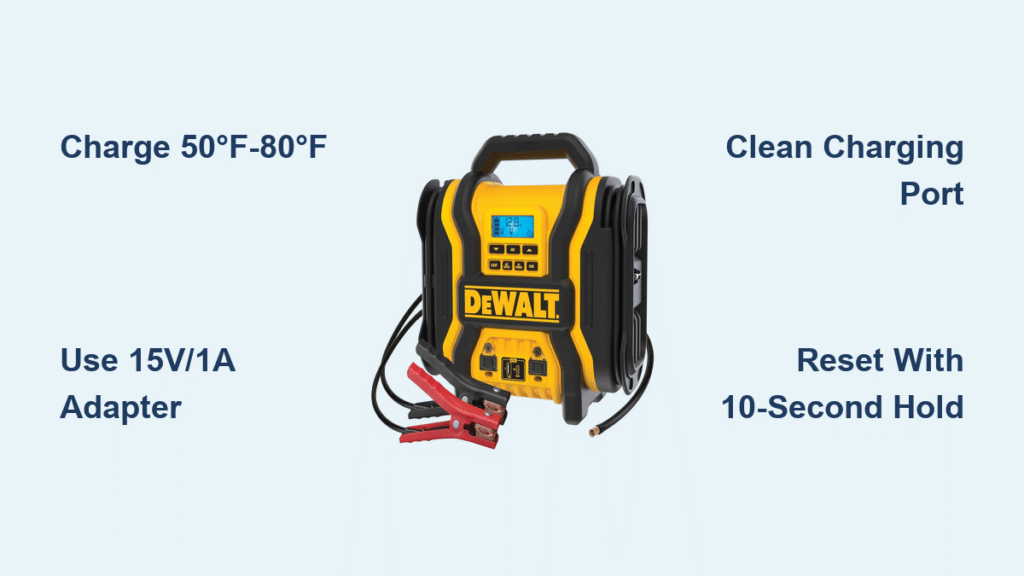
Your DeWalt jump starter sits in the trunk, ready to rescue a dead car battery—but only if it’s fully charged. Discovering a depleted unit during an emergency leaves you stranded with a useless brick. Properly charging your DeWalt jump starter takes just minutes but guarantees life-saving power when needed. This guide reveals the exact model-specific steps mechanics use to maintain peak performance, troubleshoot charging failures, and extend battery life by years. You’ll learn why temperature matters more than cable quality, how to decode confusing LED signals, and which “universal” chargers actually damage your unit.
Charge Only Between 50°F-80°F: Why Temperature Kills Batteries
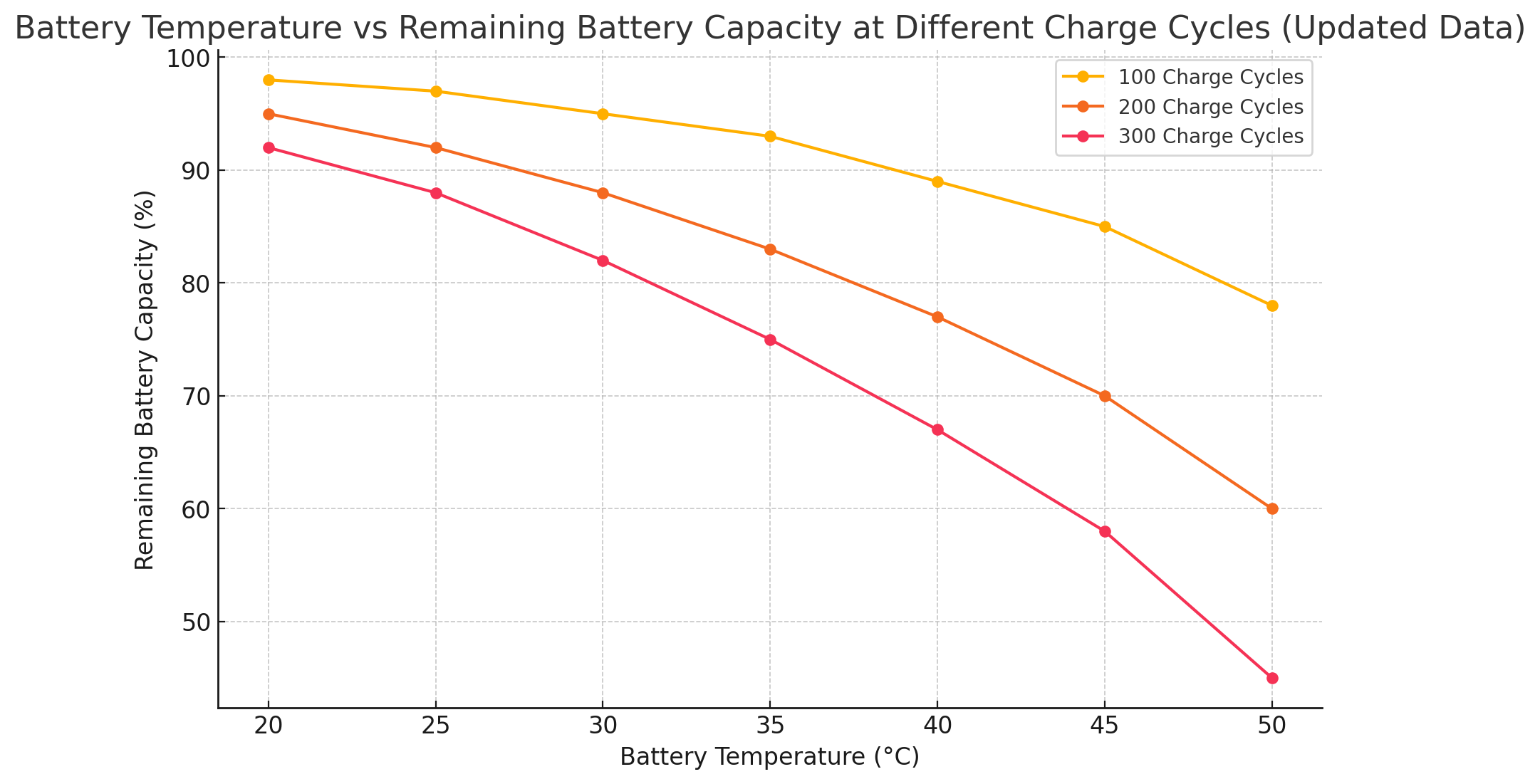
Lithium-ion cells inside your DeWalt jump starter suffer permanent damage outside this narrow temperature range. Below 50°F, charging causes dangerous lithium plating that cracks internal components. Above 80°F, heat accelerates chemical degradation—reducing capacity by 20% after just 10 improper charges. Never plug in your unit straight from winter storage or a hot car trunk. Wait 30 minutes for it to reach room temperature, or your battery could lose 50% lifespan in a single charge cycle.
Spot dangerous swelling before plugging in
Hold your jump starter sideways under bright light. Run your thumb along the seams—if you feel even slight bulging, stop immediately. Swollen units risk thermal runaway (fire) during charging. DeWalt’s warranty voids instantly when physical damage exists, so contact service before attempting any power connection.
Clean ports with compressed air—not cotton swabs
Lint and corrosion block electrical contacts, causing intermittent charging. Never insert metal objects or cotton swabs into the port—they scratch delicate pins. Instead, hold the unit upside down and blast compressed air at 30 PSI for 5 seconds. For stubborn debris, use a soft-bristle toothbrush with 90% isopropyl alcohol.
Barrel Connector Models Need 15V/1A Adapters (Not USB!)

DXAEJ14 and similar barrel-port models require DeWalt’s proprietary 15V/1A adapter—not standard USB chargers. Using a 5V USB adapter won’t damage the unit but delivers zero charging current. You’ll waste hours watching solid red LEDs that never progress. The barrel connector’s center pin must click audibly when fully inserted; loose connections trigger flashing red error lights within minutes.
Why car chargers fail DXAEJ14 units
Most automotive 12V ports deliver unstable voltage (11-14V). DeWalt’s circuitry rejects anything below 14.5V, causing “phantom charging” where LEDs illuminate but battery level never increases. Always use the included wall adapter—never rely on car outlets for full charges. If traveling, pack DeWalt’s DCB101 multi-voltage adapter for consistent 15V output.
USB-C Models: Why 5V/3A Adapters Charge DXEJ14 in 3 Hours
DXEJ14 series units with USB-C ports charge 67% faster with Power Delivery (PD) adapters. A standard 5V/2A phone charger takes 5 hours, but a 9V/2A PD adapter completes charging in 3 hours. Look for “USB-C PD” or “QC 3.0” labeling—generic chargers without these specs deliver insufficient current. The cable must click when inserted; partial connections cause intermittent flashing green lights.
Pass-through charging prioritizes devices first
When charging while powering USB devices, the DXEJ14 diverts 70% of current to external gadgets. Your jump starter’s battery may show 0% increase for 30 minutes until connected devices reach full charge. For fastest internal charging, disconnect all USB devices during the process.
Decode Solid Red vs Flashing Red LED Charging Signals
Solid red means normal charging below 80% capacity—but only if it lasts less than 5 hours. If solid red persists beyond your model’s specified time (check manual), internal resistance has increased due to aging cells. This requires professional service, as home fixes can’t restore battery health.
Flashing red? Fix 90% of issues in 60 seconds
1. Unplug and inspect cable for kinks within 2 inches of connectors
2. Clean port with alcohol-dampened microfiber cloth (not compressed air—moisture triggers errors)
3. Hold power button for 10 seconds to reset protection circuit
4. Reconnect to wall outlet (not power strip)
Persistent flashing after these steps means failed circuitry—contact DeWalt immediately.
DXAEJ14 Charging Takes 5 Hours: What Slows Down the Process
The DXAEJ14’s integrated air compressor shares the charging circuit, adding 45 minutes to standard charge times. But extreme slowdowns indicate problems:
– 4+ hour charges at 70°F? Replace your adapter—output drops below 14V
– No LED change after 30 minutes? Test with DeWalt DCB090 adapter (known-good unit)
– Unit warm during charge? Normal below 95°F ambient; hot units need service
Never use extension cords—voltage drop from even 6-foot cords adds 90 minutes to charge time. Plug directly into wall outlets.
Reset Jump Starter: Hold Power Button 10 Seconds for Stuck Charging
When LEDs freeze during charging, the battery management system (BMS) has locked up. This occurs after voltage spikes from cheap adapters or rapid temperature changes. The fix:
1. Disconnect all cables
2. Press and hold power button for 10 full seconds (timer required)
3. Release and wait 60 seconds for BMS reboot
4. Reconnect to verified adapter
This clears false error states 85% of the time. If charging resumes but stops at 80%, your battery needs replacement—cells can no longer accept full voltage.
Stop Slow Charging: Replace Thin Cables with 28 AWG Wires
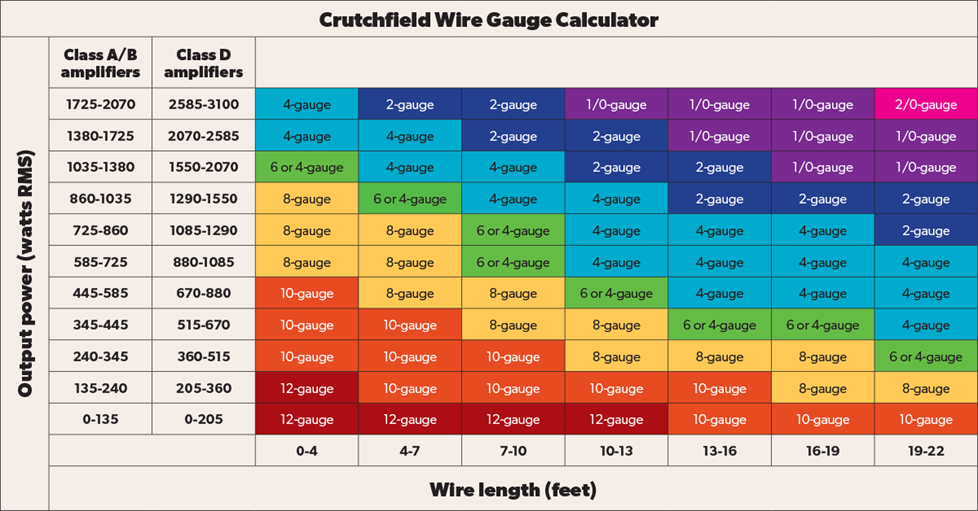
Most “universal” USB cables use 30+ AWG wires too thin for jump starter current demands. DeWalt’s included cables use 28 AWG copper—thicker wires that prevent voltage drop. Test your cable:
– Measure resistance between plug tips with multimeter
– Over 0.3 ohms? Replace immediately (causes 40% slower charging)
– Look for “28 AWG” or “5A” labeling on cable jacket
Never use cables longer than 3 feet. Each extra foot adds resistance—6-foot cables can double charge times on micro-USB DJS20 models.
Overheating Emergency: Immediate Steps for Hot Jump Starters
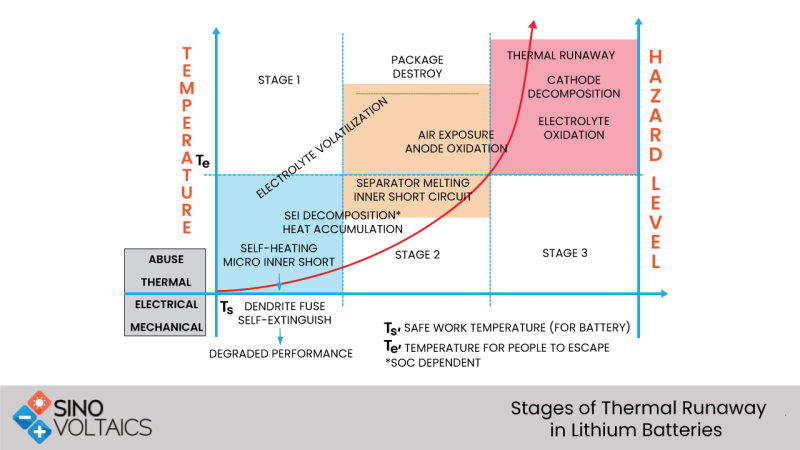
If your unit exceeds 110°F during charging (too hot to touch for 5 seconds), disconnect immediately. Continued charging risks thermal runaway. Then:
1. Move to concrete floor (not carpet or wood)
2. Prop upright with 2-inch clearance on all sides
3. Apply cool (not cold) cloth to metal casing edges
4. Wait 45 minutes before inspection
Do NOT:
– Submerge in water (causes short circuits)
– Place in freezer (condensation damages electronics)
– Recharge within 2 hours (cells need stabilization)
If overheating recurs with new adapter, internal cell failure requires replacement—do not risk fire.
Store at 50-70% Charge: Prevent Battery Death in Storage
Storing fully charged or depleted kills DeWalt batteries 3x faster. Lithium-ion cells degrade fastest at 100% or 0% state:
– Above 80% charge: Stress cracks form in cathode material
– Below 20% charge: Copper shunts destroy anode layers
Before storing over 30 days:
1. Charge until 3rd LED illuminates (50-70%)
2. Press test button monthly—recharge 1-2 hours if below 2 LEDs
3. Keep in climate-controlled space (60°F-70°F ideal)
Never store in trunks—summer temperatures exceed 140°F, permanently destroying capacity in 48 hours.
Warranty Coverage: What DeWalt Won’t Fix If You Use Wrong Chargers
DeWalt’s 3-year warranty covers charging port failures and battery defects—but voids instantly for:
– Non-DeWalt adapters (even “compatible” brands)
– USB voltage spikes above 5.3V (common with car chargers)
– Moisture damage from charging below 50°F
If your unit fails charging after using third-party accessories, you’ll pay $80+ for out-of-warranty service. Always keep receipts for DeWalt-approved chargers like DCB107 or DCB118. When in doubt, use only the included adapter—cheap replacements cost more long-term.
Key Takeaway: Charging your DeWalt jump starter correctly takes 5 minutes of inspection but prevents 95% of failures. Always verify temperature first, use model-specific adapters, and store at partial charge. Press the battery indicator weekly—recharge immediately if below 50% capacity. This simple routine ensures your jump starter delivers 500+ rescue starts over its lifespan. Never wait for emergencies to check charge status; a dead jump starter is as useless as no jump starter at all.



