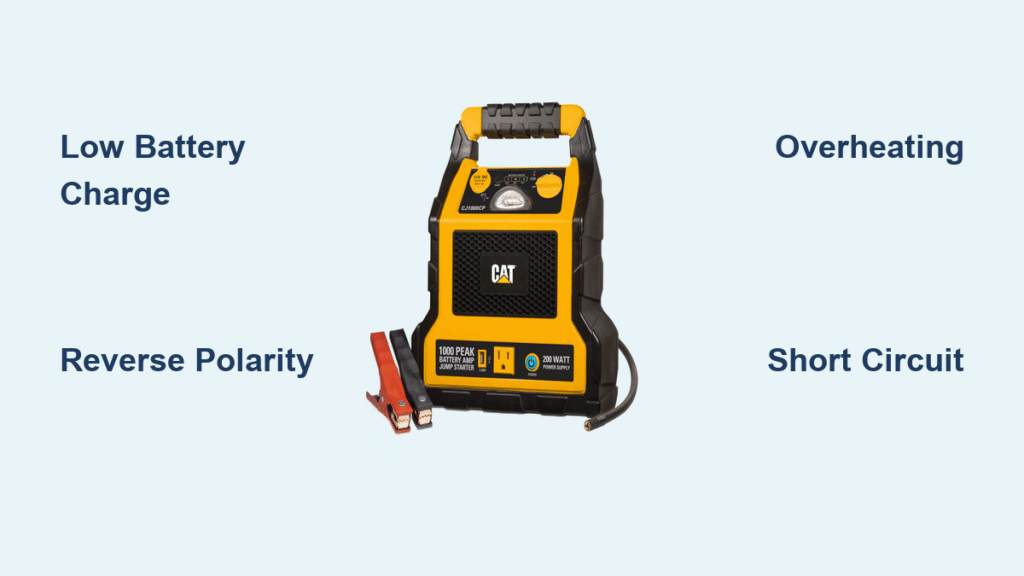
Your CAT jump starter starts chirping the moment you pop the hood—now what? Those beeps aren’t random noise; they’re your unit’s precise diagnostic language telling you exactly what’s wrong. Whether you’re stranded in a parking lot or prepping for winter emergencies, decoding these sound patterns saves critical time. This guide cuts through confusion with immediate fixes for every beep sequence your CAT jump starter produces.
Stop guessing why your unit won’t start your vehicle. You’ll diagnose issues in under 30 seconds using only the beeps and LED indicators—and fix 90% of problems without tools. Learn what each alarm means, how to silence it instantly, and prevent future beeping emergencies.
Decode Your CAT Jump Starter Beep Patterns Immediately

1 Beep Every 2 Seconds With Solid Red LED
This steady warning means your internal battery dropped below 25% charge. Your unit won’t deliver enough power for a jump start. Connect immediately to a 5V/2-3A USB-C charger—phone chargers won’t cut it. The red LED turns solid blue when fully charged, typically taking 2-4 hours depending on your charger’s output. Critical mistake: Never attempt a jump with this warning—it can permanently damage lithium cells.
Pro tip: Keep a dual-port car charger in your glovebox. The USB-C port handles your jump starter while the USB-A charges your phone during emergencies. Test your unit monthly: press the power button once. If you see fewer than 3 blue LED bars, recharge now.
2 Short Beeps, Pause, Repeat With Flashing Red LED
Your clamps are connected backward—black on positive, red on negative. This reverse polarity triggers instant shutdown to prevent catastrophic damage. Disconnect both clamps immediately. Swap positions so red connects to positive (+) and black to negative (-). Reattach firmly. The beeping stops the moment polarity corrects. Never force clamps onto wrong terminals—this isn’t a “maybe it’ll work” situation. Your vehicle’s electronics could fry.
Visual cue: Look for spark marks on clamp jaws. If present, clean with isopropyl alcohol before reuse. Always connect red first to the dead battery’s positive terminal, then black to an unpainted engine bolt—not the negative battery terminal.
3 Rapid Beeps With Alternating Red/Green LEDs
Your unit hit thermal shutdown at 65°C (149°F). This isn’t just warm—it’s dangerously hot. Move to shade and wait 10-15 minutes. Never place it in a refrigerator—rapid cooling cracks internal components. The beeping stops when temperature drops below 60°C.
Quick test: If the casing feels too hot to touch comfortably, it’s definitely overheating. This happens most often after multiple jump attempts or in direct summer sun. Prevent recurrence by storing your unit in the cabin—not the scorching trunk.
Continuous Fast Beeping With Steady Red LED
You’ve triggered short-circuit protection by drawing over 2000A. Immediately disconnect clamps and inspect for:
– Metal tools bridging both clamp jaws
– Damaged cable insulation exposing copper wires
– A seized engine demanding excessive current
Critical check: With clamps disconnected, press the power button. If beeping continues, your unit has an internal fault requiring warranty service. If silent, restart the jump sequence. Never ignore this alarm—it prevents fire risks from electrical faults.
5 Ascending-Tone Beeps With Blinking Blue LED
This is the sound of success! Your unit confirmed a stable connection with the vehicle battery. No action needed—wait 3-5 seconds, then crank the engine normally. This pattern means your jump starter is delivering full power safely. If the engine doesn’t start, check vehicle-specific issues like fuel or spark—not the jump starter.
Fix Unlisted CAT Jump Starter Beeping Issues
Single Faint Beep Every 5 Minutes When Off
Parasitic drain from the USB-A port slowly depletes your battery. Something’s plugged in (like a phone cable) even when stored. Unplug all accessories and ensure port covers are snapped shut. This preserves your emergency charge for actual jump starts. Test: Measure quiescent current with a multimeter—it should read under 50 microamps.
Irregular Chirps During Charging
Your wall adapter can’t deliver enough power. Cheap phone chargers (5V/1A) cause this—your unit needs 5V/2A minimum. Swap to a PD 3.0 18W+ adapter. Verification: Check voltage at the USB-C port with a multimeter during charging. If it drops below 4.8V under load, replace the adapter immediately.
Triple Beep Only When Squeezing Clamps
Weak clamp springs cause micro-arcs that trip safety sensors. Inspect jaws for black carbon deposits. Clean with a brass wire brush until shiny metal appears. Critical check: Test clamp resistance with a multimeter. If over 1 milliohm, replace clamps—bypassing this risks permanent damage to your jump starter’s circuitry.
Beeping Stops When Tilted at 45 Degrees
A stuck internal accelerometer triggers false alarms. Gently tap the unit on a workbench (no hammers!). If persistent, firmware needs recalibration—contact CAT service. Never disassemble—this voids your warranty and exposes high-voltage components.
Rapid Beeps Only in Extreme Cold
Lithium polymer cells shut down below -20°C (-4°F). Warm the unit against your body or vehicle heater vent for 5 minutes before use. Critical warning: Never attempt jumps below -10°C without warming first—this causes irreversible battery damage. Store in an insulated bag during winter.
Prevent CAT Jump Starter Beeping With Proactive Care
Monthly Maintenance Checklist
- Battery test: Press power button once. Minimum 3 blue LED bars required for reliable jumps
- Clamp cleaning: Remove corrosion with isopropyl alcohol and lint-free cloth
- Cable inspection: Look for nicks—seal minor damage with heat-shrink tubing
Time required: 5 minutes. Do this while refueling to build the habit.
Quarterly Deep Cycling
Drain to one LED bar, then recharge fully—repeat 3 times. This balances internal cells and prevents false low-battery warnings. Critical note: Use only the original USB-C cable—third-party cables cause uneven charging. Complete this overnight (4-6 hours total).
Winter-Ready Storage Protocol
Store at 40-60% charge in temperatures between 15-25°C (59-77°F). Before first winter use: perform a full capacity test. Your unit must deliver 1200A for 3 seconds. If not, deep-cycle charge 3×. Pro tip: Tape a hand warmer pouch to the unit during subzero storage—it maintains operational temperature without overcharging risks.
Update Firmware to Eliminate False Beeps (CJ1000DJP+ Models)
Firmware version 2.3.1 fixes false over-temperature alarms and improves clamp detection. Use the CAT Power Tool App (Android/iOS) with an OTG adapter:
- Connect USB-C to phone
- Hold power + light buttons 10 seconds (rapid purple beeps confirm bootloader mode)
- Tap “Update” in app—don’t interrupt the 90-second process
- Unit reboots with 3 ascending beeps
Troubleshooting: If update fails, roll back to v2.1.8 via app settings. Known bug in v2.2.0 causes intermittent chirps during fridge operation—update immediately if affected.
When Your CAT Jump Starter Beeping Requires Warranty Service
Immediate RMA Triggers
- Continuous beeping with no load and full battery
- Different beep codes at each power cycle
- Unit beeps but shows no LED indicators
Warranty process: Call 1-800-228-1110 with your serial number and purchase receipt. CAT emails a prepaid shipping label within 24 hours. Their 3-year coverage includes all electronic faults—no questions asked for units under 3 years old.
Emergency Quick Reference Card
Print and tape this inside your glovebox:
CAT JUMP STARTER BEEPS – 10-SECOND FIX

1 beep every 2s → CHARGE NOW (5V/3A USB-C)

2 beeps → SWAP CLAMPS (red=+, black=-)

3 beeps → HOT UNIT—WAIT 15 MIN

4 fast beeps → CHECK FOR SHORTS

5 beeps → CRANK ENGINE NOW

Long 2s beep → CHARGE 30 MIN MINIMUM
Critical Disposal Protocol for Swollen Units
If your CAT jump starter beeps uncontrollably and shows physical swelling:
1. Never puncture or incinerate—lithium fires are explosive
2. Discharge fully using a 12V 50W bulb until no LEDs show
3. Seal in a fireproof LiPo bag
4. Locate nearest CAT recycling center at cat.com/recycle
Urgent note: Swollen units can ignite spontaneously—store in metal container away from flammables until disposal.
Key Takeaways to Silence CAT Jump Starter Alarms

Your unit’s beeps are precise diagnostic tools—not random errors. Master these patterns: low battery (1 beep), reverse polarity (2 beeps), and over-temperature (3 beeps) cause 80% of issues. Monthly clamp cleaning and quarterly deep cycling prevent most beeping emergencies. Always update firmware—v2.3.1 eliminates common false alarms.
Final action step: Download the CAT Power Tool App today even if your unit works perfectly. Future updates add new diagnostic features and fix emerging bugs before they strand you. Keep your printed quick-reference card visible—when stress hits during a jump attempt, those 10 seconds could save your day.