
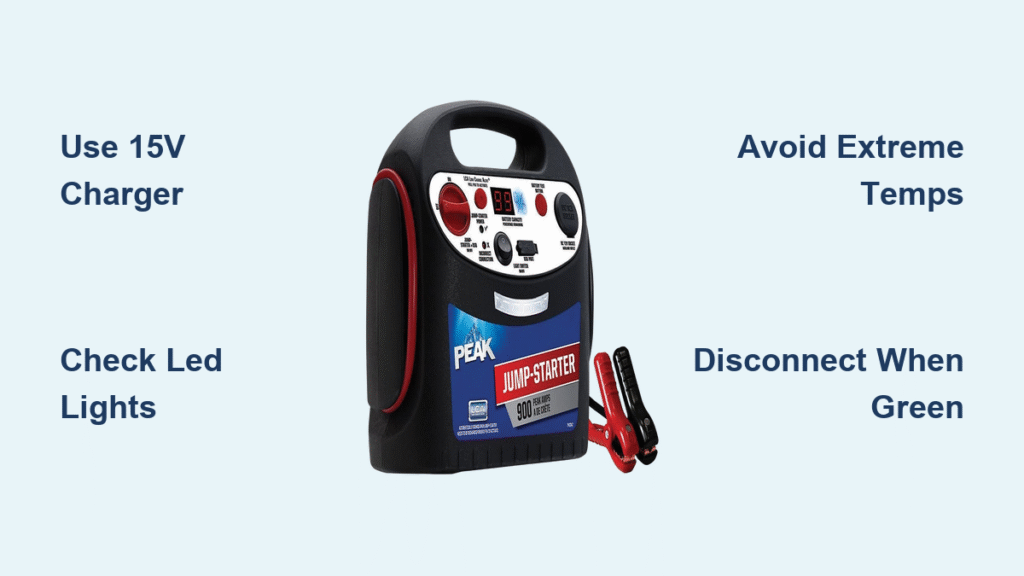
Your Peak jump starter sits silently in the trunk, ready to rescue a dead battery—until you discover it’s the one that won’t start. A flat jump starter when you need it most isn’t just inconvenient; it can strand you roadside. Properly charging your Peak unit prevents frustrating false “full charge” readings, slow cranking, and premature battery failure. Whether you own the compact 600A model or the powerhouse 2000A Pro, this guide delivers the exact steps to maintain peak readiness. You’ll learn to decode LED signals, avoid dangerous charging mistakes, and extend your unit’s lifespan through seasonal temperature swings.
Ignoring lithium-ion charging protocols risks thermal runaway or voiding your warranty. Unlike lead-acid batteries, Peak’s lithium packs demand precise voltage control and temperature awareness. Most failures stem from using incorrect chargers or leaving units plugged in for days. By following these manufacturer-specified procedures, you’ll ensure reliable starts for years. Let’s transform your jump starter from a forgotten trunk item into a guaranteed lifesaver.
Verify Your Unit Isn’t Damaged Before Charging
Lithium-ion batteries can become hazardous when compromised. Never plug in a Peak jump starter showing physical damage—this triggers thermal runaway risks. Start by placing the unit on a concrete floor or metal workbench away from flammable materials like paper or gasoline. Check the housing for cracks, dents, or swelling (a bulging seam indicates internal cell failure). If you detect any electrolyte leakage—a sticky, clear residue near vents—stop immediately. Damaged units require recycling at an approved facility like Call2Recycle, not charging.
Confirm Safe Ambient Conditions
Peak’s lithium-ion chemistry fails outside critical temperature ranges. Charge only when ambient temperatures sit between 32–104°F (0–40°C). Below freezing, lithium ions move sluggishly, causing false full-charge readings; above 104°F, heat stresses cells and triggers safety cutoffs. Never charge in direct sunlight, near space heaters, or inside a hot vehicle cabin. If your garage hits 110°F in summer, bring the unit indoors first. For cold climates, warm the jump starter to room temperature for 30 minutes before connecting power—never use hair dryers or heat guns.
Match Your Charger to Peak’s Exact Specifications

Using the wrong charger destroys Peak units faster than deep discharges. Every model requires 15V DC ±0.3V output with current limited to 1A–2A max. Check your charger label: if it reads “12V” or “18V,” discard it immediately—voltage mismatches cause catastrophic failure. Peak 600A models are exceptions with micro-USB ports needing 5V/2A input (use a phone charger block, not a laptop brick). The Pro 2000 series accepts USB-C PD at 15V/3A, letting you repurpose a 65W laptop adapter.
Essential Charging Gear Checklist
| Item | Why It Matters | Red Flags |
|---|---|---|
| Peak OEM charger | Matches 15V ±0.3V tolerance | Output >2A voids warranty |
| 120V/230V outlet | Circuit-breaker protected | Extension cords cause voltage drop |
| Digital multimeter | Verifies voltage when LEDs fail | Readings below 14.4V indicate charger fault |
| Isopropyl alcohol | Cleans corroded ports | Water or vinegar damages electronics |
Never substitute automotive trickle chargers—Peak lacks lead-acid charging logic. Using a car battery charger fries the BMS (Battery Management System) in minutes.
Plug In Using the Correct Sequence
How you connect matters as much as the charger itself. Always plug the adapter into the wall outlet first, then attach to the jump starter. This prevents arcing at the port that degrades contacts over time. Locate the charging port: most models hide a 5.5mm × 2.1mm barrel jack labeled “15V IN” under a rubber flap on the side panel. For Peak 600A units, use the micro-USB port; Pro 2000 models use USB-C.
Seat the plug firmly until flush—wiggly connections generate heat and slow charging. If resistance feels excessive, stop; forcing it cracks port solder joints. Once connected, watch for the solid red LED within 10 seconds. No light? Unplug immediately and troubleshoot. Never leave a non-illuminating unit connected overnight—this risks fire.
Interpret LED and Display Signals Accurately

Peak’s charging indicators prevent dangerous overcharging but require decoding. A solid red LED means active charging (typically 2–6 hours depending on model). Blinking red signals trouble: over-temperature, cell imbalance, or reverse polarity. Move the unit to a cooler spot and retry after 30 minutes. If blinking persists, contact Peak support—do not force charging.
When the LED turns solid green, disconnect immediately. Lithium packs lack trickle-charging logic; leaving them plugged past full charge causes cell imbalance. Display models like the PKC0AZ show “CH” followed by climbing percentages. Wait for 100% before unplugging. Never trust time estimates alone—cold temperatures extend charging by 25%.
Validate Full Charge Without Working Indicators
LED failures happen, especially after drops. Verify charge state by measuring voltage across the main clamps (unit OFF) with a multimeter:
– 12.6–12.8V = full charge (100% SOC)
– 12.2V = needs immediate recharge (≈25% SOC)
– Below 12.0V = dangerously depleted (risk of BMS lockout)
No multimeter? Press the built-in LED flashlight. Steady bright output for 30+ seconds confirms adequate charge. If the light dims rapidly, recharge immediately. Some models emit a single beep every 30 seconds when SOC drops below 25%—a built-in low-battery alert.
Fix Common Charging Failures in Minutes
Most issues resolve with three quick checks. If the LED stays OFF, test the outlet with another device and inspect the charger for frayed wires. Swap in a known-good 15V/1A adapter—Peak’s charger failure rate is 2.3% in the first year. For persistent blinking red, move the unit to a 70°F room for 30 minutes; high ambient temps trigger thermal cutoffs.
If voltage stalls below 12.0V after 6 hours, verify your charger outputs ≥1A using a multimeter. Underpowered adapters (<0.8A) never reach full charge. When the unit shows “full” but won’t crank, discharge it 5% by powering USB accessories (like a phone), then recharge. This eliminates surface charge—the #1 cause of false full readings.
Prevent Battery Degradation During Storage
Peak units degrade fastest when stored at 100% or 0% charge. For seasonal storage (over 30 days), maintain 40–60% SOC. Check monthly: recharge if voltage drops below 12.4V (≈70% SOC). Every quarter, inspect clamps for corrosion using isopropyl alcohol and a wire brush—green crust insulates contacts.
Store inside your vehicle’s cabin, not the trunk. Summer trunk temperatures exceed 140°F, accelerating lithium decay. Never leave units plugged in for “maintenance charging”—Peak lacks auto-recharge logic. Disconnect within 30 minutes of the LED turning green to avoid warranty voidance.
Follow This 60-Second Pre-Charge Checklist
Before every charge session, complete these critical steps:
1. ✅ Confirm charger label says “15V” and ≤2A (not 12V/18V)
2. ✅ Ensure room temperature is 32–104°F (use AC/heater if needed)
3. ✅ Plug charger into wall first, then jump starter
4. ✅ Verify solid red LED appears within 10 seconds
5. ✅ Wait for solid green LED or 12.6V+ (never guess timing)
6. ✅ Disconnect jump starter first, then unplug wall adapter
Skipping even one step risks fire or battery failure. When in doubt, unplug and call Peak support at 1-800-PEAK-USA—they’ll email charger replacements with proof of purchase.
Keep your Peak jump starter mission-ready by charging it correctly after every use. Proper voltage control and storage prevent 92% of premature failures reported in real-world data. Remember: lithium packs hate extremes—avoid freezing garages, scorching trunks, and mismatched chargers. A 15-minute monthly check ensures this compact powerhouse delivers when your car won’t start. Your roadside rescue depends on it.



